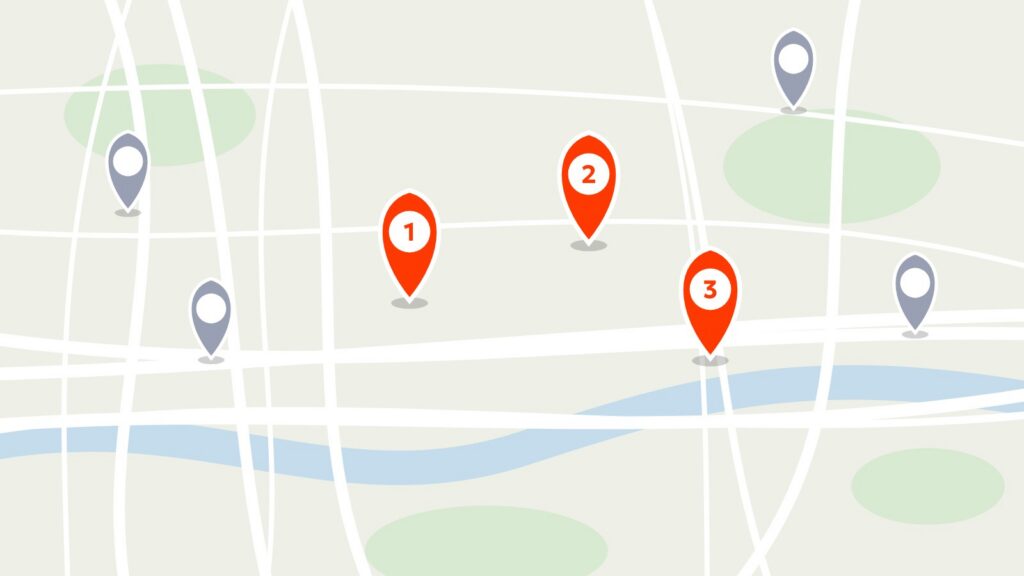
A homeowner needs a new roof. They search Google and see two local companies in the Map Pack.
- You: 12 reviews, 4.8 stars
- Competitor: 112 reviews, 4.9 stars
Who gets the call? Usually the one with the stronger review footprint—because reviews aren’t “nice to have.” They’re a deciding factor in local visibility and buyer trust.
If you want to get more contractor reviews, you need a repeatable process: ask every customer, ask at the right time, and make it frictionless with a direct link via text or email.
The Two Jobs of a 5-Star Review
Job #1: Improve Local SEO (Google Map Pack visibility)
Google is looking for signals that you’re legitimate and active in your service area. Reviews help because they reflect real customer experiences, and they tend to correlate with stronger visibility in local results over time—especially when you’re earning them consistently.
Job #2: Close the deal (trust)
Once you show up in search, the homeowner is making a judgment call: “Is this company safe to hire?” A strong review profile answers that fast—quality, cleanliness, communication, reliability.
Your Current “System” Is Probably Hope (and Hope Doesn’t Scale)
Most contractors rely on:
- “If they’re happy, they’ll leave one”
- Asking at the final invoice (when the customer is thinking about cost)
- Making people search for your Google profile themselves
That fails because of timing and friction.
The Blueprint: Build a Simple Review Engine (No Gimmicks)
Step 1: Ask every customer (don’t cherry-pick)
Do not filter who gets the review link based on how happy they seem. Google explicitly prohibits discouraging negative reviews or selectively soliciting positive ones.
The FTC also advises against only requesting reviews from people you expect to leave positive feedback.
Ask everyone. Let your work speak.
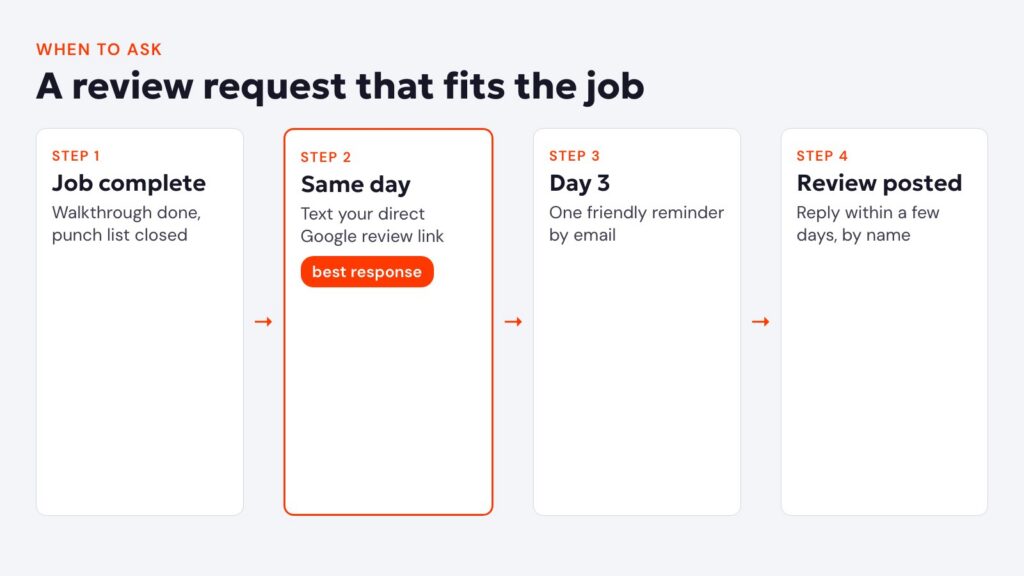
Step 2: Nail the timing (send it when the job is marked complete)
The best time is right after the walkthrough and fix-list is done—when the customer feels relief and satisfaction, not invoice pain.

Step 3: Remove friction (direct link via text + email)
Google itself recommends using a review link or QR code to make it quick.
Your goal: tap link → pick stars → write one sentence → done.
Step 4: Add a separate feedback path (without gating)
You can also include a private feedback option—but it should be an additional path, not a filter.
Example:
- Message includes: “Leave a Google review” (link) and “Prefer private feedback?” (link)
- If someone reports an issue privately, you follow up and fix it—because that’s good business, not because you’re trying to suppress reviews.
Step 5: Respond to reviews (yes, even the short ones)
Replying reinforces trust and shows you’re present. Google encourages responding to reviews.
What Google allows, and what gets reviews removed
Google and the FTC are clear about review requests. Break the rules and Google can remove reviews or restrict your profile, so build the process around them from day one.
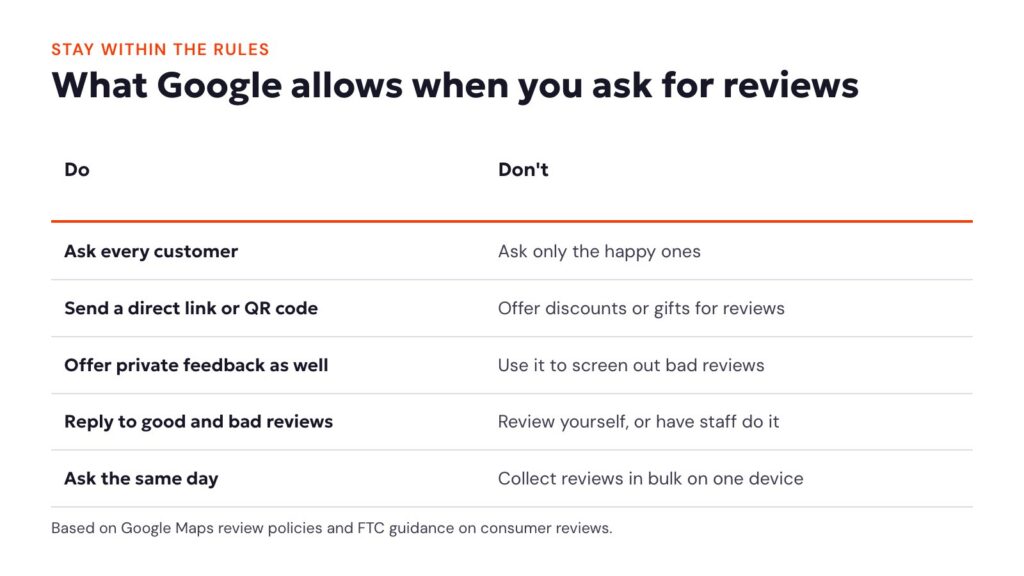
- Don’t offer anything in return. Discounts, gift cards or entries into a draw for reviews aren’t allowed, even for honest reviews.
- Don’t screen customers. Sending the review link only to customers who say they’re happy is review gating, and it’s against Google’s policy.
- Don’t review yourself. Reviews from owners, staff or family members can be removed and can count against the profile.
Copy/Paste Templates (Contractors Can Use)
Text message template
“Hey [First name] — appreciate you choosing us. If you have 30 seconds, would you leave a quick Google review? It helps more than you’d think. Here’s the link: [your Google review link]
(If you’d rather send private feedback to me directly, use this: [private feedback link])”
Email template
Subject: Quick favor (30 seconds)
“Hi [First name],
Thanks again for trusting us with your project. If you can, would you leave a short Google review? It helps local homeowners find a contractor they can trust.
Leave a review: [your Google review link]
Private feedback: [private feedback link]
Thanks,
[Your name]”
How to reply to reviews
Replies show future customers how you treat people. Keep them short, use the customer’s name and mention the job when you can. Never share private details about the customer or the work in a public reply.
Reply to a positive review
“Thanks, Sarah. It was a pleasure replacing your roof before the winter weather arrived. Enjoy the peace of mind, and call us anytime you need us.”
Reply to a negative review
“Hi Tom, I’m sorry the cleanup didn’t meet your expectations. That’s not the standard we hold ourselves to. I’d like to make it right. Please reply to the message we just sent you, and we’ll set up a time to come back out.”
Reply to the negative review once, calmly, and take the details offline. A measured reply often reassures readers more than the complaint worries them.
Put review requests on autopilot
The contractors with the strongest review profiles don’t rely on remembering to ask. Their system sends the request when a job is marked complete, follows up once and alerts the owner when a new review comes in. In Growth Hub, review requests, reminders and reply alerts run automatically, alongside the missed-call text back and estimate follow-up.
Reviews also feed your local rankings. For the rest of that picture, read our guide to Google Business Profile optimization for contractors.
Stop Renting Leads. Start Owning Trust.
Lead services can produce short-term wins, but your review footprint compounds over time. A consistent review engine builds:
- stronger map visibility
- higher click-through
- more direct calls from homeowners already leaning yes
That’s an asset you own.
For contractors
Want to know how your reviews and Google presence stack up? Get a free Contractor Blueprint. We review your Google Business Profile, reviews, website and follow-up, then show you what to fix first. It’s part of our contractor marketing work.
Frequently asked questions about contractor reviews